
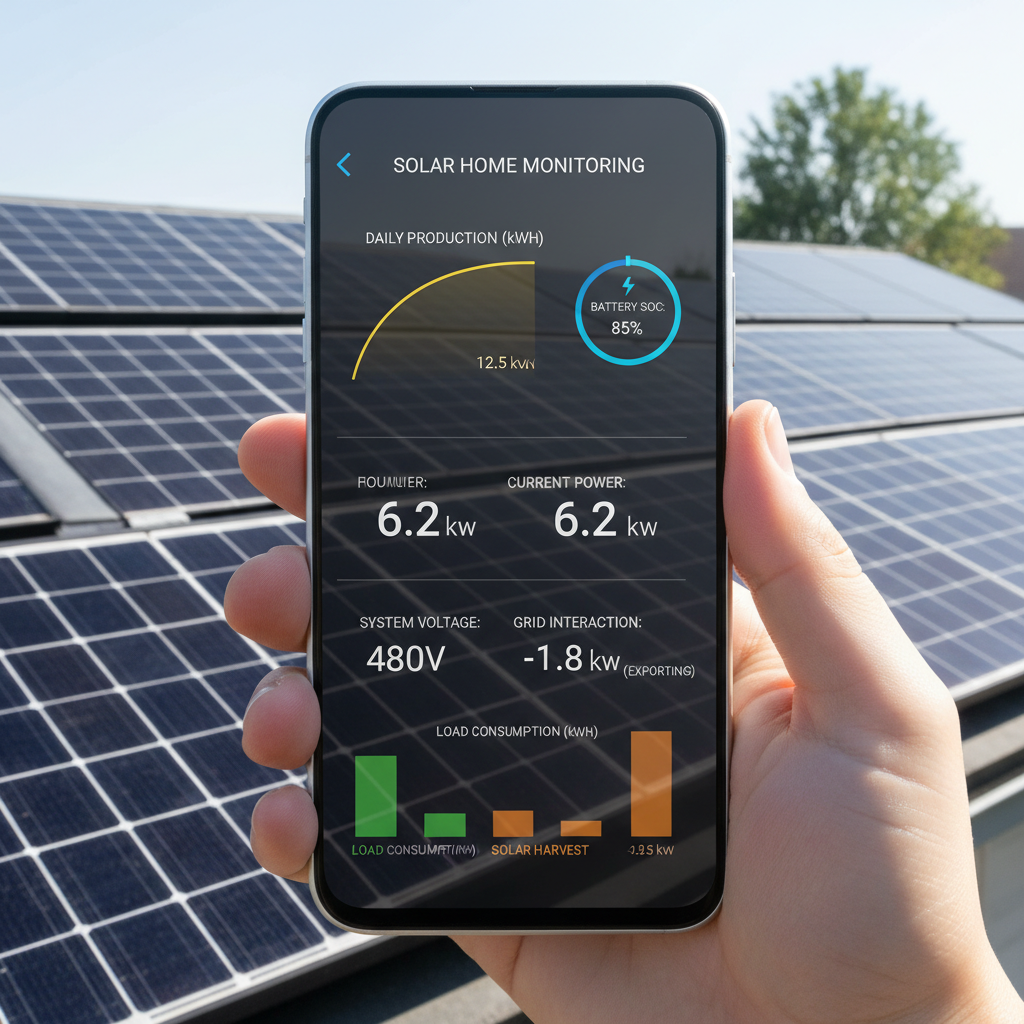
Your DIY solar system is finally up and running. You did all the math, ran all the wires, and everything looks great. But here’s the million-dollar question: Is your solar monitoring actually telling you what’s happening? Or are you flying blind like I was for my first six months?
I’ll be honest. I thought “working” meant the lights came on. Boy, was I wrong. My system ran for months at about 60% efficiency before I figured out how to actually monitor what was happening. Don’t be me.
Let’s talk about the monitoring tools that actually matter for DIY systems. No engineering degree required, just practical ways to keep tabs on your investment before problems eat your wallet.
Why Solar Monitoring Actually Matters
Here’s what I learned the hard way: solar systems fail quietly. Really quietly.
Your panels can lose 30% efficiency from dirt, shade, or a loose connection, and you might not notice until your electric bill shows up. Your battery bank can slowly die from poor charging, and your inverter can run hot without making a peep.
I once had a connection that was loose enough to cut my power output by 40%. The system still worked. The lights still came on. I just wasn’t getting nearly what I paid for.
This is why monitoring isn’t optional. It’s insurance for your investment.
The Real Cost of Flying Blind
Let’s do some quick math. Say you invested $3,000 in a DIY system that should produce 30 kWh per day. If you’re only getting 20 kWh because of a problem you can’t see, that’s $30-50 per month in lost savings. Over a year? $600 down the drain.
Most monitoring solutions cost less than $200. Do the math.
Essential Solar Monitoring Tools for DIY Systems
You don’t need a NASA control center. But you do need the right information. Here’s what actually matters:
1. Basic Power Production Monitoring
Start simple. You need to know how much power your panels are actually producing versus what they should produce. This catches the big problems fast.
Most modern charge controllers come with basic monitoring built-in. If you followed our MPPT controller settings guide, you already have this data available.
Look for daily kWh production, current power output, and voltage readings. That’s your baseline.
2. Battery State Monitoring
Your battery bank is expensive. Treat it like the investment it is.
Whether you went with AGM or lithium batteries, you need to track state of charge, voltage under load, and charging cycles. This prevents the slow death that kills battery banks early.
A simple battery monitor with a shunt will tell you exactly how much power flows in and out. It’s like a fuel gauge for your system.
3. System Voltage and Current Tracking
Voltage tells stories. Really important stories.
Low voltage under load means undersized wiring or bad connections. High voltage during charging means controller problems. Fluctuating voltage means loose connections that can start fires.
If you did your voltage drop calculations correctly, your monitoring should confirm those numbers in real-world operation.
Smart Solar Monitoring Setup
Now for the fun part. Setting up monitoring that actually helps instead of overwhelming you with data.
The KISS Principle for Solar Data
Keep it simple, stupid. I learned this after drowning in spreadsheets for three months.
Focus on three key metrics:
- Daily power production vs. expected
- Battery state of charge trends
- Any voltage readings outside normal range
Everything else is nice to have, not need to have.
Setting Alert Thresholds
Your monitoring system should tell you about problems, not make you hunt for them.
Set alerts for:
- Daily production 20% below expected
- Battery voltage dropping below safe levels
- System voltage outside normal operating range
These catch 80% of issues before they become expensive.
Weekly Check-In Routine
Here’s my weekly routine that takes five minutes:
Monday morning: Check last week’s total production against expected. Look for any days that were significantly low without weather reasons.
Check battery trends. Are charge cycles getting shorter? Is the state of charge dropping faster than normal?
Spot-check system voltages during peak production and heavy load times.
That’s it. Five minutes prevents hours of troubleshooting later.
Catching Problems Early
The whole point of solar monitoring is catching issues before they cost money. Here’s what to watch for:
Production Problems
Sudden drops in power output usually mean:
- Shading issues (check your shade analysis)
- Dirty panels
- Loose connections
- Controller problems
Gradual declines over time usually mean aging components or increasing shade as trees grow.
Battery Warning Signs
Battery problems show up in the data before they show up in performance:
- Shorter runtime between charges
- Voltage dropping faster under load
- Taking longer to reach full charge
- Temperature running higher than normal
Catch these early, and you might save your battery bank. Miss them, and you’re buying new batteries.
System Safety Alerts
Some monitoring alerts are about safety, not just performance:
- Voltage readings way outside normal range
- Current spikes that indicate short circuits
- Temperature alerts from inverters or controllers
These don’t wait for your weekly check-in. These get immediate attention.
Budget-Friendly Monitoring Solutions
You don’t need to spend thousands on monitoring equipment. Here’s what actually works for DIY systems:
Built-In Controller Monitoring
Start with what you already have. Most decent charge controllers include basic monitoring through apps or displays. It’s not fancy, but it covers the essentials.
This gives you production data, battery status, and basic system health for zero additional cost.
Add-On Battery Monitors
A battery monitor with a shunt runs $100-200 and tells you exactly what’s happening with your most expensive component. Worth every penny.
Look for units that track amp-hours in and out, state of charge, and time to empty. Skip the fancy features you won’t use.
Smart Monitoring Systems
If you want to get serious about monitoring, dedicated systems start around $300 and give you smartphone alerts, historical data, and detailed system analysis.
These make sense for larger systems or if you’re managing multiple installations.
Making Monitoring Data Actionable
Data without action is just expensive entertainment. Here’s how to turn your monitoring into system improvements:
Monthly Performance Reviews
Once a month, sit down with your data and ask: What story is it telling?
Are certain times of day consistently underperforming? Maybe it’s shading that you can address.
Is battery performance declining? Maybe it’s time to adjust charging parameters or check connections.
Is overall production trending down? Time for panel cleaning or system inspection.
Seasonal Adjustments
Your monitoring data should drive seasonal system changes:
- Panel cleaning schedules based on production drops
- Load management during low-production seasons
- Battery maintenance timing based on usage patterns
This is where monitoring pays for itself in system longevity.
Common Monitoring Mistakes
Let me save you from the mistakes I made:
Over-Monitoring Everything
More data isn’t always better. I spent months tracking dozens of parameters and missing the important trends in the noise.
Focus on the big three: production, battery health, and system safety. Everything else can wait.
Ignoring Baseline Trends
Your system’s “normal” changes with seasons, weather, and age. Update your baselines regularly, or you’ll chase phantom problems.
What looks like a 20% production drop might just be normal for December.
Not Acting on Data
The worst monitoring mistake is collecting data and not using it. Set up your alerts, check your weekly summaries, and actually investigate problems when they show up.
Monitoring without action is just expensive guilt.
Conclusion
Solar monitoring doesn’t have to be complicated. You just need the right information to catch problems before they cost money.
Start with basic production and battery monitoring. Set up simple alerts for the problems that matter. Check in weekly, not obsessively.
Your solar investment deserves better than hoping everything’s working fine. Give it the monitoring it needs, and it’ll return the favor with years of reliable service.
Remember: good monitoring prevents expensive repairs. Bad monitoring just makes you feel busy while your system quietly underperforms.
Keep it simple. Keep it actionable. Keep your system running at its best.