
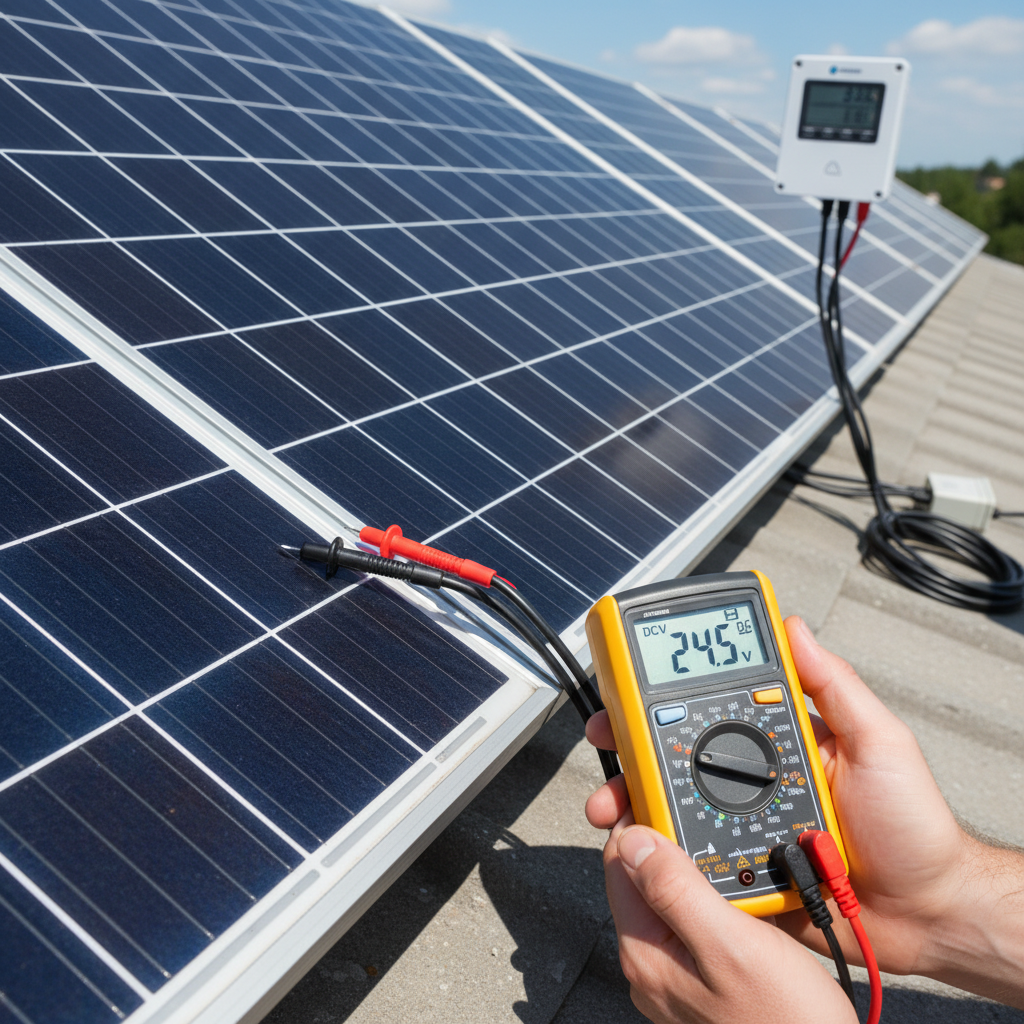
Want to know if your DIY solar system is working properly? Learning how to monitor solar performance doesn’t require expensive equipment or technical expertise. In fact, with the right basic tools and knowledge, you can easily track your system’s health and catch potential issues before they become costly problems.
Whether you’re running a small RV setup or a home backup system, monitoring your solar performance helps you maximize your investment and ensures reliable power when you need it most. Let’s dive into the simple tools and techniques that will keep you informed about your system’s operation.
Why Solar Performance Monitoring Matters
Think of solar monitoring like checking your car’s dashboard. You wouldn’t drive without knowing your speed or fuel level, right? Similarly, your solar system needs attention to perform its best.
Regular monitoring helps you:
- Catch declining panel performance early
- Identify wiring or connection issues
- Optimize battery charging cycles
- Track energy production trends
- Plan maintenance schedules effectively
Moreover, monitoring helps you understand whether your system is meeting the power needs you calculated when sizing your solar panels. This knowledge proves invaluable for future upgrades or troubleshooting.
Essential Tools to Monitor Solar Performance
You don’t need expensive monitoring equipment to track your system effectively. Here are the basic tools that provide excellent insights without breaking your budget:
Digital Multimeter ($15-30)
A quality multimeter is your most important monitoring tool. It measures voltage, current, and resistance across your system components.
Look for these features:
- DC voltage measurement up to 600V
- Current measurement up to 20A
- Clear digital display
- Safety ratings (CAT III minimum)
Battery Monitor ($50-150)
A dedicated battery monitor tracks state of charge, voltage, current flow, and cumulative amp-hours. Popular options include Victron BMV series or Renogy battery monitors.
Charge Controller Display
Most modern charge controllers include built-in monitoring displays. MPPT controllers typically show more detailed information than PWM models. If you’re unsure which type you have, check out our guide on MPPT vs PWM charge controllers.
Smartphone Apps and Bluetooth Monitors
Many newer components offer smartphone connectivity. Bluetooth-enabled charge controllers and battery monitors let you check system status remotely through dedicated apps.
Key Numbers to Track for Optimal Performance
Understanding which metrics matter most helps you monitor solar performance effectively. Focus on these critical measurements:
Solar Panel Voltage and Current
Measure these values during peak sun hours (typically 10 AM to 2 PM):
- Open circuit voltage (Voc): Should match manufacturer specifications
- Short circuit current (Isc): Indicates panel health
- Operating voltage and current: Shows real-world performance
Significant drops in these readings often indicate panel degradation, shading issues, or connection problems.
Battery Health Indicators
Monitor these battery metrics daily:
- State of charge (SOC): Should regularly reach 100%
- Voltage under load: Indicates battery condition
- Charging current acceptance: Healthy batteries accept full charge current
- Temperature: Extreme temperatures affect performance and lifespan
These measurements help you implement proper battery maintenance practices to extend your system’s lifespan.
Energy Production Totals
Track daily and monthly energy production to identify seasonal trends and system changes over time. Most charge controllers display cumulative kilowatt-hours generated.
Simple Daily Monitoring Routine
Establishing a regular monitoring routine helps you catch issues early. Here’s a simple daily checklist that takes less than five minutes:
Morning Check (5 minutes)
First, verify your battery voltage before any loads turn on. A fully charged 12V battery should read around 12.6-12.8V at rest.
Next, check your charge controller display for any error codes or unusual readings. Most controllers show yesterday’s production totals and current system status.
Finally, visually inspect panels for obvious debris, shading, or damage. Clean panels produce significantly more power than dirty ones, so consider our DIY panel cleaning guide for maintenance tips.
Weekly Deep Check (15 minutes)
Once weekly, perform more detailed measurements using your multimeter:
- Measure individual panel voltages
- Check all connection tightness
- Record battery voltage under different load conditions
- Compare current week’s production to previous weeks
Spotting Problems Before They Become Expensive
Learning to recognize warning signs helps you monitor solar performance proactively. Watch for these red flags:
Declining Energy Production
If your system consistently produces less energy than previous months (accounting for seasonal changes), investigate these potential causes:
- Panel degradation or damage
- New shading from growing trees or structures
- Loose or corroded connections
- Charge controller malfunction
Battery Issues
These symptoms indicate battery problems requiring attention:
- Voltage drops quickly under load
- Batteries won’t accept full charge
- Significant voltage differences between batteries in a bank
- Excessive heating during charging
Early detection of battery issues can often extend their lifespan through proper maintenance or prevent damage to other system components.
Wiring Problems
Connection issues often develop gradually. Watch for:
- Voltage drops across connections
- Warm or hot connections
- Fluctuating readings
- Corrosion at terminals
Many wiring issues stem from common installation mistakes. Our guide on common solar wiring mistakes helps you avoid these problems.
Creating Your Monitoring Log
Keeping records helps you track performance trends and identify issues early. Create a simple log including:
Daily Entries
- Date and time
- Battery voltage (morning and evening)
- Daily energy production
- Weather conditions
- Any unusual observations
Weekly Summaries
- Total weekly production
- Average daily output
- System performance compared to expectations
- Maintenance performed
Digital spreadsheets work well for this purpose, but even a simple notebook provides valuable tracking capabilities.
Seasonal Monitoring Considerations
Solar performance varies significantly with seasons. Understanding these patterns helps you distinguish between normal variations and actual problems.
During winter months, expect reduced production due to shorter days and lower sun angles. However, cold temperatures actually improve panel efficiency. Our winter solar maintenance guide covers seasonal considerations in detail.
Summer brings peak production but also challenges like overheating components and increased electrical loads from cooling systems.
Taking Action on Your Monitoring Data
Collecting data means nothing without acting on it. Use your monitoring information to:
- Schedule preventive maintenance
- Identify upgrade opportunities
- Optimize energy usage patterns
- Plan system expansions
- Troubleshoot performance issues
Regular monitoring helps you get the most from your solar investment while ensuring reliable power for years to come.
Remember, effective solar monitoring doesn’t require expensive equipment or technical expertise. With basic tools and consistent observation, you can keep your DIY solar system running at peak performance while catching small issues before they become major problems.