
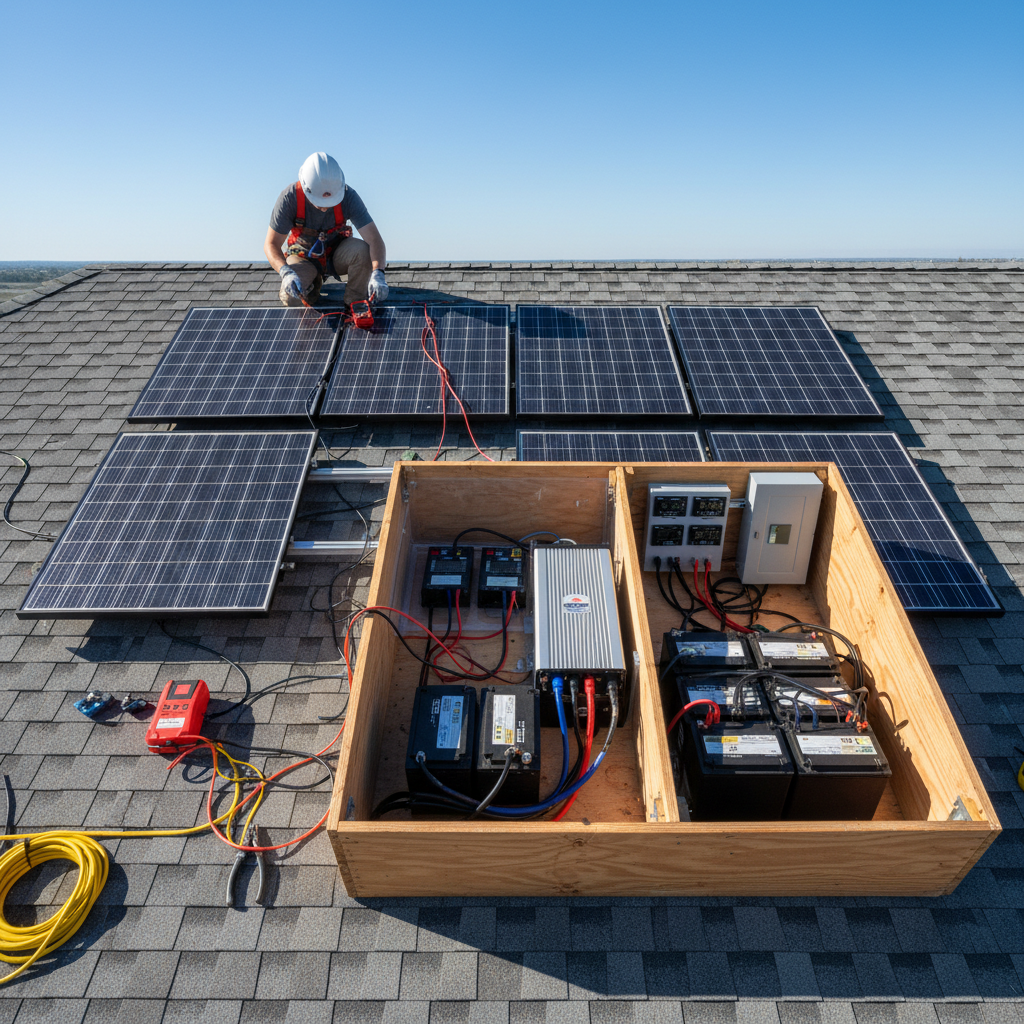
Congratulations! You’ve wired everything, double-checked your connections, and now you’re staring at that final breaker wondering if you’ve built a working solar system or an expensive fireworks display. I’ve been there, and I can tell you that proper solar system commissioning is the difference between celebrating success and ordering replacement parts.
The truth is, most DIY solar builders rush this step. We get excited, flip everything on at once, and pray to the solar gods. Don’t be like me on my first build.
Here’s the systematic power-up sequence that prevents expensive smoke signals and actually tells you if your system works before you break out the champagne.
Pre-Power Safety Check: Don’t Skip This Part
Before we talk about solar system commissioning, let’s make sure you won’t fry anything when you flip that switch.
First, verify all your connections are tight. Loose connections create heat, and heat creates problems. Use a non-contact voltage tester to make sure nothing is energized that shouldn’t be.
Check your fusing setup one more time. Every positive connection from your panels and batteries should have appropriate protection. If you skipped fuses to save money, now’s the time to fix that mistake.
Verify your wire gauge calculations were correct. Undersized wires get hot fast. If you used our wire gauge calculator and stayed conservative, you’re probably fine.
Step 1: Battery Bank First
Start your commissioning process with the battery bank isolated from everything else. This means all breakers off, charge controller disconnected, inverter off.
Measure your battery voltage with a multimeter. For a 12V system, you should see 12.6-12.8V for lead-acid or 13.2-13.4V for lithium when fully charged. If you’re seeing significantly less, charge them with an external charger first.
Check individual battery voltages if you have multiple batteries. They should be within 0.1V of each other. Bigger differences mean you have a problem battery or poor connections.
Whether you chose AGM or lithium batteries affects your target voltages, so know what you’re working with.
Step 2: Charge Controller Connection
Now connect your charge controller to the batteries first. Always batteries first, then solar panels. This is critical for MPPT controllers.
Power up your charge controller and check its display. It should show your battery voltage accurately. If it’s reading way off, you have a wiring problem.
Configure your controller settings before connecting panels. Your MPPT controller settings need to match your battery chemistry. Getting this wrong can damage your batteries.
Most controllers have preset battery types. Choose the right one for your setup and don’t just leave it on the default.
Step 3: Solar Panel Integration
Time for the moment of truth. Connect your solar panels to the charge controller.
Watch your controller display as the panels come online. You should see solar voltage appear and current start flowing if there’s sun. No current flow might mean it’s cloudy, or you have a wiring issue.
Check that your panel voltage makes sense. For a 12V system with standard panels, you should see 18-22V open circuit in good sun. Higher voltage systems scale accordingly.
If you calculated your panel sizing correctly, your controller should handle the voltage and current without problems.
Step 4: Load Testing Your DC System
Before adding an inverter, test your DC system with a simple 12V load. A small fan or LED light works perfectly.
Connect your test load and verify the system can supply power. Watch your battery voltage under load – it should drop slightly but not dramatically.
This is basic load testing that tells you if your DC side is working properly. If your voltage crashes under a small load, you have connection or battery problems.
Monitor your charge controller during this test. It should adjust its charging based on the load and available solar power.
Step 5: Inverter Commissioning Process
Now for the scary part – adding the inverter to your solar system commissioning checklist.
Connect your inverter to the battery bank with all AC loads disconnected. Most inverters have a soft-start sequence when you first power them up.
Check that your inverter display shows the correct battery voltage and that it’s producing clean 120V AC output. Use a multimeter to verify the AC voltage and frequency.
Test with a small AC load first – maybe a lamp or small appliance. Don’t immediately plug in your refrigerator and expect miracles.
If you went with micro-inverters instead of a string setup, your commissioning process looks different but the gradual approach still applies.
Step 6: Full System Integration Test
With everything connected and working individually, it’s time for the complete system test.
Add realistic loads gradually. Start small and work up to your expected usage. Monitor voltages, currents, and temperatures throughout the process.
Watch for any unusual behavior – flickering lights, voltage drops, or strange noises from your equipment. These are signs something isn’t right.
Test both sunny and cloudy conditions if possible. Your system should handle both scenarios gracefully, switching between solar charging and battery power as needed.
Run this test for several hours to identify any issues that only show up under sustained operation.
Troubleshooting Common Commissioning Problems
When things go wrong during commissioning – and they will – don’t panic.
Low charging current usually means poor connections, shading issues, or incorrect controller settings. Check your shade analysis to make sure panels aren’t blocked.
High voltage warnings typically indicate open circuits or loose connections. Double-check all your DC connections before assuming equipment failure.
If your system seems to work but produces less power than expected, review your panel orientation and make sure you’re getting optimal sun exposure.
For systematic troubleshooting approaches, our troubleshooting guide covers the most common issues and fixes.
Final System Documentation
Once your solar system commissioning is complete and everything works, document your settings and measurements.
Record your controller settings, battery voltages, and typical power production numbers. This baseline data helps you identify problems later.
Take photos of your completed installation, especially connection points and equipment settings. You’ll thank yourself later when you need to troubleshoot or expand the system.
Create a simple maintenance schedule based on your equipment manuals. Regular checks prevent small problems from becoming expensive failures.
Ready to Power Up
Following this commissioning checklist takes time, but it’s insurance against costly mistakes. I learned this the hard way when I rushed my first system and ended up replacing a charge controller.
Take it slow, test each component individually, and don’t skip steps to save time. Your wallet and your confidence will thank you when everything works exactly as designed.
Now go flip that final breaker with confidence. You’ve earned it.